What prints with the starting settings
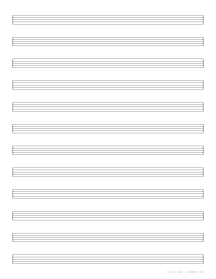
| Paper | US Letter — 215.9 × 279.4 mm (8.5 × 11 in) |
|---|---|
| Layout | Staff (5 lines) |
| Staves on this page | 12 |
| Line gap | 2.2 mm (staff 8.8 mm tall) |
| Margins | 1/2″ |
| Line weight | 0.2 mm (bold 0.35 mm) |
| Print setting | Scale 100% / Actual size |
Who uses music paper
Blank sheet music, also called staff paper, manuscript paper or music paper, is where most music starts. Students use it for theory homework, ear-training dictation and composition assignments. Teachers hand it out for note-reading drills and rhythm exercises. Songwriters and composers sketch melodies and arrangements by hand before or instead of using notation software. Guitarists, bassists and banjo players write riffs and solos as tablature, and ukulele and guitar teachers fill pages of chord boxes for student songbooks.
Printing your own means you can choose the exact layout for the job instead of buying separate pads for staves, tab and chords.
Choosing a layout
The generator offers seven layouts:
| Layout | What you get | Per Letter page (defaults) |
|---|---|---|
| Staff (5 lines) | Single staves | 12 |
| Grand staff (piano) | Treble and bass staves joined into systems | 6 systems |
| Guitar tab (6) | Six-line tablature | 9 |
| Bass tab (4) | Four-line tablature | 12 |
| Banjo tab (5) | Five-line tablature | 10 |
| Chord boxes (guitar) | Six-string, five-fret diagrams | 25 |
| Chord boxes (ukulele) | Four-string, five-fret diagrams | 30 |
For a lead sheet, use single staves and write the chord symbols above them. For songs taught by ear, a page of chord boxes plus a page of tab often works better than standard notation. Our music paper basics guide explains staff sizes and layouts in more detail.
Staff size and spacing
Two settings control the look of staff and tab pages. Line gap is the distance between adjacent lines; it sets how big your noteheads will be. Space between staves is the clear gap from the bottom line of one staff to the top line of the next, where ledger lines, lyrics, dynamics and chord symbols go.
- For vocal music with lyrics, increase the space between staves to 16–20 mm so a line of words fits under each staff.
- For orchestral sketches, reduce the line gap slightly and the space between staves to fit more parts on a page.
- For young students, a line gap of 3 mm or more with generous spacing makes notes much easier to place and read.
Setting it up in the generator
With Music paper selected as the paper type, pick a layout and paper size. Adjust the line gap and the space between staves for staff and tab layouts, and toggle the TAB label for tablature. Use landscape orientation for long lines of tab or for wide piano systems, and True size in the preview to check the staff height against an existing score.
From Advanced options you can add a title, such as the name of a piece, and header fields like Name and Date for theory homework. Set Pages in the PDF to make a manuscript book, and turn on page numbers so the pages stay in order. Music paper prints with black lines by default; switch to a dark gray if you want your handwriting to stand out more.
Printing tips
Print at Actual size so the staff height stays exactly as you set it; Fit to page shrinks the staves by a few percent, which matters if you are continuing a score on existing paper. For manuscript books, print double-sided with alternate binding margins and staple or sew the pages along the fold.
Music on a stand is read from a distance, so a bright white, slightly heavier paper (24 lb or 90 g/m²) with crisp black lines is worth it for performance copies. A laser printer gives the sharpest staff lines.
For theory classes and dictation
For ear-training and dictation, teachers often write the clef, key signature and first note on one copy, then photocopy it so every student starts from the same point. Put the exercise number in the title field and leave the lower staves blank for corrections once the answers are reviewed. Single staves suit any one-line part, such as flute, violin, voice or trumpet; piano and harp need the grand staff, and young beginners usually do better with large staff paper.
Popular music staff paper sheets
Frequently asked questions
How many staves are on a page?
With the default settings, a Letter page has 12 five-line staves and an A4 page has 13. Grand staff paper fits 6 systems on Letter and 7 on A4. Changing the staff size or the space between staves changes the count, and the staves are always spread evenly down the page.
What staff size should I choose?
The Line gap setting is the space between two adjacent staff lines. The default 2.2 mm gives a staff about 8.8 mm tall, a comfortable size for handwritten notes. Beginners and children often prefer 3 mm or more; experienced copyists who want more music per page can go down to 1.75–2 mm.
What is the difference between staff paper and grand staff paper?
Staff paper has single five-line staves for one instrument or voice. Grand staff paper pairs two staves into a system joined by a bar line at each end and a heavy vertical bar on the left, for piano, harp, organ and other instruments that read treble and bass clefs together. The grand staff page is set up for piano.
Can I print guitar tablature?
Yes. Choose Guitar tab (6) for six-string guitar, Bass tab (4) for four-string bass or Banjo tab (5) for five-string banjo. Tab lines are spaced a little wider than staff lines so fret numbers fit between them, and a TAB label prints at the start of each line, which you can switch off.
Do you have blank chord diagrams?
Choose Chord boxes (guitar) for six-string, five-fret diagrams or Chord boxes (ukulele) for four strings. A Letter page holds 25 guitar boxes or 30 ukulele boxes, each with a heavy nut line and a short line above for the chord name. See chord charts.
Are clefs or bar lines printed?
Each staff has a bar line at both ends, but no clefs, time signatures or interior bar lines, so the page works for any instrument, key and meter. Write the clef at the start of each line and draw bar lines where your music needs them.
Last updated · About us