What prints with the starting settings
| Paper | US Letter — 215.9 × 279.4 mm (8.5 × 11 in) |
|---|---|
| Prints | Two cm and two inch rulers, mm and 1/16″ ticks |
| Accuracy | Exact at 100% / Actual size; use the calibration wizard to correct printer scaling |
| Margins | 1/2″ |
| Line weight | 0.18 mm (bold 0.35 mm) |
| Print setting | Scale 100% / Actual size |
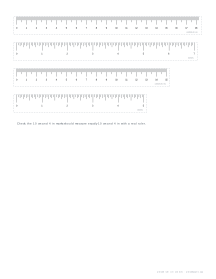
A ruler when you need one
A printed ruler is handy when the real one has gone missing, for measuring a small object for an online order, or for making a set of rulers for a class. Because these are drawn as vectors at exact size, they are accurate as long as the printer prints at actual size.
What you can print
Rulers. Two long rulers (centimetres with millimetre ticks, inches with 1/16″ ticks) and a shorter pair, each with a dashed cut line.
Protractor. A 180° protractor with a tick every degree.
Foot length ruler. A tall ruler with a heel line, marked in centimetres and inches.
Making sure it is right
- In the print dialog choose 100% or Actual size, not Fit to page.
- Measure the 10 cm or 4 inch mark with a real ruler or a credit card.
- If it is off, run the calibration wizard once and print again.
Printing tips
Print on card for durability. Laminate a ruler to make it last, then trim close to the edge so the zero mark sits at the end.
Popular printable ruler sheets
Frequently asked questions
Is a printable ruler accurate?
It can be, if it is printed at 100% / Actual size and your printer does not scale. Many printers are within a fraction of a percent; some are off by 1 to 3 percent, which is 1 to 3 mm over 10 cm. Check against a real ruler or a known object, and use the calibration wizard to correct any error.
How long are the rulers?
As long as the page allows: about 18 cm and 7 inches on Letter or A4 in portrait, and in landscape about 24 cm and 9 inches on Letter or 26 cm and 10 inches on A4, with a second, shorter pair below. For a 30 cm ruler, print on Legal in landscape or on A3.
How do I measure a foot?
Choose Foot length ruler, place the sheet on the floor against a wall, stand with your heel against the heel line and mark the tip of your longest toe. Read the length in centimetres or inches. Brands size shoes differently, so compare the length with each brand's own size chart.
Is the protractor accurate?
Yes, it has a tick for every degree and labels every 10°. Cut it out carefully along the arc and the baseline, and place the centre mark on the corner of the angle.
What can I check the size against?
A credit card is 85.6 mm wide and an A4 sheet is 210 mm wide; US Letter is 8 1/2 inches wide.
Can I print on card?
Yes, card makes a stiffer ruler. Cut along the dashed lines.
Last updated · About us