Storyboard templates for vertical video, widescreen film and 4:3
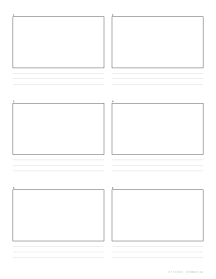
Each setup opens in the generator with the frame shape, layout and note lines already chosen. The default above is 16:9, six frames to a page, for YouTube, TV and most video.
9:16 vertical video storyboard (TikTok, Reels, Shorts)
Six tall, phone-shaped frames per page, three across and two down, each with three lines for the action, the words on screen and the length of the shot.
Use this setup PDF: US Letter · A4
2.39:1 widescreen storyboard (cinemascope)
Six wide anamorphic cinema frames on a landscape page, two across and three down, with two lines under each for shot notes, camera moves and dialogue.
4:3 storyboard (animation, classic TV, school projects)
Eight 4:3 frames per page, two across and four down, each with two note lines. A near-square frame that is comfortable to draw in.
What prints with the starting settings
| Paper | US Letter — 215.9 × 279.4 mm (8.5 × 11 in) |
|---|---|
| Frames per page | 6 |
| Aspect ratio | 16:9 |
| Margins | 1/2″ |
| Line weight | 0.18 mm (bold 0.35 mm) |
| Print setting | Scale 100% / Actual size |
Plan a film before you shoot it
A storyboard is a comic strip of your film: one frame per shot, with notes about what happens and what the camera does. It is the cheapest place to fix a story problem, because redrawing a frame costs seconds. Directors, animators, YouTubers, students and advertising teams all start here.
Choose the frame shape first
Frames match the shape of the final picture, so composition decisions on paper carry through to the screen. Pick the ratio you will deliver in, then the layout.
| Aspect ratio | Used for | Ready-made layout |
|---|---|---|
| 16:9 | YouTube, TV and most online video | 6 frames (2 × 3), 3 note lines: the default above |
| 9:16 | Vertical video: TikTok, Reels, YouTube Shorts | 6 frames (3 × 2), 3 note lines: vertical video |
| 2.39:1 | Widescreen cinema, short films | 6 frames (2 × 3) on a landscape page, 2 note lines: widescreen |
| 4:3 | Classic TV, animation, presentations, school projects | 8 frames (2 × 4), 2 note lines: 4:3 |
| 1:1 | Square social posts and album covers | Choose 1:1 in the generator |
9:16 vertical video storyboard for TikTok, Reels and Shorts
Short vertical videos live or die in their first second, and the narrow frame changes how you compose every shot: faces fill more of the screen, text has to sit in the middle third to avoid the app’s buttons, and wide landscape shots simply don’t fit. Sketching on 9:16 frames before filming makes these limits obvious and saves reshoots.
A simple process:
- Hook: draw the first frame first. What will make someone stop scrolling?
- Beats: one frame per change of shot, angle or caption.
- Captions: write on-screen text in the notes, and mark where it sits in the frame.
- Timing: add the seconds for each frame and check the total.
Apps overlay usernames, captions and buttons on the bottom and right of the screen. Lightly shade the bottom fifth and right edge of each frame as a reminder to keep important action and text out of those zones. For more room to draw, set two frames across and two down; for a whole short on one page, four across.
2.39:1 widescreen storyboard for film
A 2.39:1 frame is wide and short, which changes everything about composition: close-ups crop the top of the head, two people talking can share a frame comfortably, and landscapes feel epic. Directors storyboard in the release ratio so these choices are made before the camera rolls. The widescreen setup prints six frames on a landscape page; switch the page to portrait and set four frames down to fit eight.
4:3 storyboard for animation and school projects
4:3 is a little wider than square, a shape that suits drawing because it gives room for a figure and its surroundings without the long empty sides of widescreen. That makes it the most common choice for school storyboards, flip-book and stop-motion animation, presentation planning and early sketches where the final ratio isn’t decided yet.
- Stop-motion animation: one frame per key pose, with the number of photographs between them.
- School video assignments: plan the shots, then film them in order. Eight frames on a page is enough for a short scene or a whole one-minute project.
- Presentations: sketch each slide’s main image to plan the talk’s flow.
Frames and notes
Frames per page. One to four across and one to six down. Fewer, larger frames suit detailed drawing and pitching; more, smaller frames suit planning a whole sequence.
Note lines. Zero to six under each frame. Two lines are enough for the essentials, what happens and what is heard; three or four leave room for camera directions and timing.
Filling in the frames
- Sketch fast and rough. Stick figures are fine. Draw the key moment of each shot, not the whole action.
- Shot size: wide, medium or close-up, written in the notes. Shorthand saves space: WS for a wide shot, CU for a close-up.
- Movement: arrows inside the frame for people and objects; arrows outside the frame for camera pans, tilts and dollies.
- Continuity: keep characters on the same side of the frame across a conversation, so the 180° line is respected.
- Sound: a word of dialogue or a sound effect that cues the cut.
- Timing: the shot length in seconds at the end of the last line.
- Numbering: number scenes and shots and match them to a shot list.
The storyboarding guide covers shot types and arrow notation in more detail.
Printing tips
Print at 100% / Actual size, in landscape for the widescreen setup. For pitching, print on heavier paper and pin the pages in sequence on a wall. A pen and a grey marker are all you need. For thumbnailing a whole sequence quickly, use the thumbnail sketch sheet first.
Frequently asked questions
Which aspect ratio should I choose?
Why storyboard in the final ratio?
Composition depends on the frame shape. A wide frame leaves room for two characters and their surroundings in one shot; a vertical frame has little room at the sides. You can only plan that properly in the right shape.
How many frames fit on a page?
You choose one to four frames across and one to six down. Two across and three down, six frames per page, is a good default with room for notes. The 4:3 setup fits eight, and the vertical video setup puts six tall frames side by side in two rows.
What are the lines under each frame for?
Action, dialogue, sound and camera directions such as "pan left" or "close-up", plus the shot length in seconds. Choose 0 to 6 lines.
Why use a 9:16 storyboard for TikTok, Reels or Shorts?
Short-form video is filmed and watched in portrait. Drawing in 9:16 frames shows exactly what will be on screen, including how little room there is at the sides and where captions will sit.
How many frames does a 30-second video need?
As a rule of thumb, one frame per shot or every two to four seconds, so 8 to 15 frames for 30 seconds. That is two or three pages of the vertical video storyboard at six frames per page.
What is 2.39:1, and does it work for 2.35:1 or 2.40:1?
2.39:1 is the aspect ratio of most widescreen cinema releases, also called scope or anamorphic widescreen: the frame is 2.39 times as wide as it is tall. The difference between 2.35, 2.39 and 2.40 is too small to matter in a sketch, so the widescreen setup works for all three.
Are the frames numbered?
Yes, each frame is numbered on the page so shots can be referred to in a shot list.
Can I print it larger?
Yes. Choose Tabloid or A3 for big frames for a presentation board.
Is it useful for comics?
For planning a comic, yes. For finished pages with panels of different sizes and no note lines, the comic page templates are a better fit.
Last updated · About us