Two-column to-do list template
Two checklists side by side on one page, so you can split tasks into two groups and still see everything at once.
Two-column to-do list (52 lines on Letter, 58 on A4)
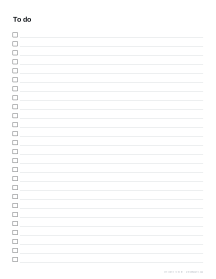
Two columns of tick-box lines at the default 9 mm spacing, for splitting tasks into work and home, today and this week, or one column per person.
What prints with the starting settings
| Paper | US Letter — 215.9 × 279.4 mm (8.5 × 11 in) |
|---|---|
| Lines per page | 26 |
| Line spacing | 9 mm |
| Margins | 1/2″ |
| Line weight | 0.18 mm (bold 0.35 mm) |
| Print setting | Scale 100% / Actual size |
Simple lists work
A to-do list is the most basic planning tool there is, and paper still beats apps for many people: it is visible, quick and satisfying to tick. A clean printed list with proper tick boxes makes it easier to keep going.
Options
Columns. One for tasks that need a sentence; two for short items like shopping, or for splitting the list into two groups.
Line spacing. 7 mm fits more items for small handwriting; 10 to 12 mm suits larger writing and children.
Items. Type the list to print it, with # headings for sections, or leave it blank.
Title. Any title, or none.
Splitting tasks into two columns
A single long to-do list mixes urgent and someday tasks, work and home, and quickly becomes hard to read. Splitting it into two columns gives just enough structure to keep things clear without needing a full planner. At 9 mm spacing the two-column list holds 52 lines on Letter and 58 on A4.
Ways to split it:
- Today / This week: move a task across when it becomes urgent.
- Work / Personal: keep the two worlds on one page but separate.
- Must / Could: finish the left column before touching the right.
- Two people: a shared household list with a column each.
- Before / On the day: for events, trips and moves.
Making a list work
- Write tasks as actions (“Call the dentist” rather than “Dentist”).
- Keep each task small enough to finish in a single sitting.
- At the end of the day, copy unfinished items to a fresh page.
- For tasks with times attached, a daily planner adds a schedule.
Ideas
- Morning and evening routine checklists for children.
- Packing lists for holidays, camping and moving house: start from the packing list.
- Repeatable procedures, such as opening and closing a shop or a classroom: see the checklist template.
- Cleaning rotas and weekly chores; for children, a chore chart with a box for each day works better.
- A “done” list at the end of each day.
Printing tips
Print at 100% / Actual size. For reusable lists, laminate one and use a dry-wipe pen. A stack of pages on a clipboard, or punched into a ring binder, makes a simple running task log.
Popular to-do list sheets
Frequently asked questions
How many items fit on a page?
With the default 9 mm spacing and a title, a one-column page holds 26 items on Letter and 29 on A4; the two-column list doubles that to 52 and 58. Smaller spacing fits more.
Can I change the title?
Yes. Type any title up to 40 characters, such as Packing list, Groceries or Moving day. Leave it empty for a list with no heading.
When should I use two columns?
For short items such as a shopping list, packing list or chores, where each entry is a few words, and whenever your tasks fall into two groups. One column suits tasks that need a sentence.
How should I split a two-column to-do list?
Popular splits are Work and Home, Today and Later, Must and Could, or Before and On the day for an event or a move. For a shared household or packing list, give each person, or each bag, a column of their own.
Can I print it small for a planner?
Yes. Choose A5, Half Letter or an index card size and the list fills that page.
Can I make a checklist template for a class or team?
Yes. Type the items into the Items box, one per line, and they print beside the tick boxes. Start a line with # to make a section heading, such as "# Before you leave". Any lines left over stay blank for handwritten additions.
What happens if I type more items than fit?
The panel shows how many printed. Switch to two columns or reduce the line spacing to fit more; a one-column page holds 26 lines on Letter and 29 on A4 at 9 mm.
Are the boxes square?
Yes. Each tick box is a square sized to the line spacing, aligned with its writing line.
Last updated · About us