What prints with the starting settings
| Paper | US Letter — 215.9 × 279.4 mm (8.5 × 11 in) |
|---|---|
| Tables | 2, 3, 4, 5, 6, 7, 8, 9, 10, 11, 12 |
| Questions | 40 from 132 different facts |
| Answer page | Page 2 |
| Margins | 1/2″ |
| Line weight | 0.18 mm (bold 0.35 mm) |
| Print setting | Scale 100% / Actual size |
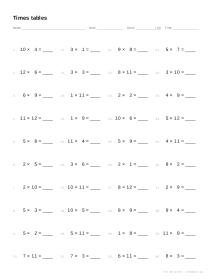
Fact practice that fits the child
Times table fluency comes from short, regular practice on the right facts. This generator makes a fresh drill sheet in seconds for whatever stage a child is at: just the 2s, 5s and 10s for a beginner, the 7s on their own for a stubborn table, or every table up to 12 × 12 before a test.
Settings
- Tables: any single table, list or range from 0 to 12.
- Facts: multiplication, division or both.
- Questions: 20, 30, 40, 50 or 60 per page, laid out in two to four columns.
- Up to: × 10 or × 12.
- Missing number: the answer, one of the factors, or a mix.
- Order: random, or in table order for learning a new table.
Each sheet has spaces for a name, the date, a score out of the number of questions and the time taken, so progress is easy to track from day to day.
How to use the sheets
Start a new table in table order, so the pattern shows, then switch to random once the child can say it aloud. Keep sessions to five or ten minutes, and aim for accuracy first and speed second. Our guide to learning the times tables explains the order schools teach them in and why the last tables are much easier than they look.
Ready-made sheets
Start from multiplication facts 1 to 12, division facts or the 2, 5 and 10 times tables. For a reference to keep on the wall, print the multiplication chart.
Printing tips
Print at 100% on Letter or A4. For daily practice, print a week of sheets at once by changing the sheet number between each, and keep the answer pages for marking.
Popular times table worksheet sheets
Frequently asked questions
How do I choose which tables to practise?
Type them in the Tables box: a single table such as 7, a list such as 3, 4, 8, or a range such as 2-12. Ranges and lists can be mixed, for example 2-5, 10.
Do the questions repeat?
Only when you ask for more questions than there are facts. In random order every fact in your tables appears once before any repeats; the panel shows how many different facts are available.
Can I make division worksheets?
Yes. Choose Division for facts such as 56 ÷ 8, or Both for fact families, so multiplication and division of the same numbers appear together.
What does the missing-number setting do?
It hides one of the numbers being multiplied instead of the answer, as in 7 × __ = 56, which checks that a fact is really understood rather than recited. Mixed hides a different part each time.
How do I get a different sheet with the same tables?
Press New puzzle or change the sheet number. Each number always gives the same questions, so you can reprint a sheet later or give a whole class the same one.
Is there an answer key?
Yes. Page 2 of the PDF repeats the sheet with every answer filled in, in blue.
Last updated · About us