What prints with the starting settings
| Paper | US Letter — 215.9 × 279.4 mm (8.5 × 11 in) |
|---|---|
| Frames per page | 15 |
| Frame size | 1.969″ wide |
| Margins | 1/2″ |
| Line weight | 0.18 mm (bold 0.35 mm) |
| Print setting | Scale 100% / Actual size |
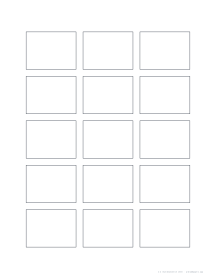
Think small first
Thumbnails are the cheapest way to make a better picture. In a few minutes you can try a dozen arrangements of the same subject, change the horizon, move the focal point, and compare them side by side. The strongest one becomes the plan for the full piece.
Options
Choose the frame shape to match your final format, and the frame width; the page fits as many frames as it can with even spacing.
How to use the sheet
- Set a timer for one or two minutes per frame.
- Block in big shapes only, then the darkest values.
- Fill the page, then circle the two strongest ideas.
- Develop the best one at full size.
Printing tips
Print at 100% / Actual size. Thumbnail sheets work well on cheap copy paper: they are meant to be used quickly.
Frequently asked questions
What are thumbnail sketches?
Small, fast drawings used to try out a composition, the arrangement of big shapes and values, before starting a full drawing or painting. They are small on purpose, so detail cannot distract.
What size should the frames be?
Around 3 to 6 cm wide. The default of 50 mm fits 15 frames on Letter and 18 on A4. Smaller frames encourage simpler, bolder ideas.
Which frame shape should I pick?
The shape of your final piece: 4:3 or 3:4 for many paintings, square for social posts and album covers, 16:9 for screens.
How many frames fit on a page?
It depends on the size. The spec line under the preview shows the exact number.
Are these useful for designers too?
Yes, for logo ideas, page layouts, poster concepts and app screens.
Can I use them for value studies?
Yes. Shade each frame in three or four values to test the pattern of lights and darks.
Last updated · About us