What prints with the starting settings
| Paper | US Letter — 279.4 × 215.9 mm (11 × 8.5 in), landscape |
|---|---|
| Days | 5 |
| Periods | 8 |
| Margins | 1/2″ |
| Line weight | 0.18 mm (bold 0.35 mm) |
| Print setting | Scale 100% / Actual size |
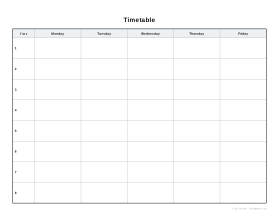
A week you can see at a glance
A timetable is the shape of a week: which class, where and when. Students use it to pack the right books, teachers to plan, and families to see who needs to be where. A printed grid on the wall or inside a folder is still the quickest reference.
Options
Days. Five weekdays, or include Saturday and Sunday.
Periods. Three to twelve rows, numbered down the left.
Title. For example “Year 9 — Autumn term” or a child’s name.
Tips
- Colour-code subjects with highlighters so the week reads at a glance.
- Write the room number in the corner of each box.
- Keep one copy in the front of a ring binder and one on the fridge.
- For teachers, a blank copy per class helps plan which lessons fall on which days.
Printing tips
Print at 100% / Actual size in landscape. Laminate a copy to reuse each term with dry-wipe pens.
Popular timetable sheets
Frequently asked questions
Can I include weekends?
Yes. Choose Monday–Saturday or Monday–Sunday for six or seven days.
How many periods can I have?
From 3 to 12. Most school days have five to eight periods; use more for half-hour slots or a full working day.
Where do I write the times?
The narrow first column is headed Time. Write the start and end times of each period there.
Can I change the title?
Yes, type any title up to 40 characters, such as a name, class or term.
Landscape or portrait?
Landscape gives wider day columns for subject names and rooms; portrait gives taller periods. Both fit Letter and A4.
Is there a version with dates?
Timetables repeat every week, so they are undated. For dated planning use the weekly planner.
Last updated · About us