What prints with the starting settings
| Paper | US Letter — 215.9 × 279.4 mm (8.5 × 11 in) |
|---|---|
| Meals | Breakfast, lunch, dinner and snacks |
| Shopping list | Yes, with tick boxes |
| Margins | 1/2″ |
| Line weight | 0.18 mm (bold 0.35 mm) |
| Print setting | Scale 100% / Actual size |
Plan once, shop once
Planning a week of meals takes ten minutes and saves time every day after: no deciding what to cook at six o’clock, one shopping trip instead of three, and less food thrown away. A single sheet with the week and the shopping list side by side makes the habit easy.
How to use it
- Check the calendar for busy evenings and plan quick meals for those days.
- Fill in dinners first, then lunches and breakfasts.
- Go through each meal and write missing ingredients on the shopping list.
- Tick items off in the shop.
Ideas
- Repeat favourite meals on fixed days, such as soup on Mondays.
- Cook once, eat twice: plan leftovers as the next day’s lunch.
- Keep last month’s sheets as a menu of ideas.
Printing tips
Print at 100% / Actual size on Letter or A4. A clipboard on the fridge keeps the week’s plan in view.
Frequently asked questions
What is on the meal planner?
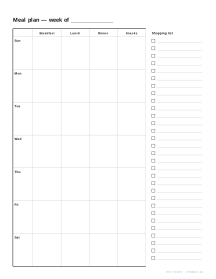
Seven days down the side, with columns for breakfast, lunch, dinner and optionally snacks, plus a shopping list with tick boxes on the right.
Can I remove the snacks column?
Yes. Turn off Snacks column and the other three columns get wider.
Can I print it without the shopping list?
Yes, turn off Shopping list and the meal grid fills the page width.
Which day does the week start on?
Sunday or Monday; choose whichever matches your shopping day or calendar.
Does it help with budgeting?
Planning meals before shopping usually reduces impulse buys and waste. Track what you spend on the budget and expense logs.
Can I use it for a family?
Yes. Pin it on the fridge so everyone can see what is for dinner and add items to the shopping list as they run out.
Last updated · About us