How to make your paper
- Choose a paper type. Grids, dots, ruled writing paper, Cornell notes, technical paper like polar and log, music staves, or craft grids sized to real fabric counts and pegboards.
- Pick the size and spacing. The preview sheet is drawn from the same geometry as the PDF, so what you see is exactly what prints. Switch to True size to see it at real scale and hover to measure.
- Fine-tune if you want. Advanced options holds line colour and weight, margins, a title, name and date fields, page count and booklet printing. Most people never need it.
- Download or print. Print at Scale 100% / Actual size. If your printer runs slightly small or large, calibrate it once and every download is corrected automatically.
Why this generator is different
Most paper sites give you one size and a fixed PDF. Here the sheet is generated on the spot from exact measurements, so a quarter-inch square is 6.350 mm wherever it falls on the page, and the grid always fits whole squares instead of leaving a half row at the bottom. You can set any spacing, not just the five or six that someone happened to export.
Because people print on very different machines, we also built a printer calibration wizard. Print a test sheet, measure one bar with a ruler, and we store a correction factor for that printer in your browser. Downloads then carry a small “calibrated” note, and the correction is applied inside the PDF without changing its page size.
Teachers can print a class set with name and date lines, students can make a 100-page dot-grid notebook with page numbers, and makers can print cross-stitch grids by Aida count or pegboard templates at true bead size. If you need a particular sheet regularly, save it as a preset or bookmark the address — the settings live in the link.
What it can make
| Paper types | 61: graph paper, dot grid paper, lined paper, handwriting paper, cornell notes, isometric paper, hexagonal paper, music paper, blank paper, cross-stitch graph paper, knitter's graph paper, bead pegboard template, seyès paper, manuscript paper, chinese character practice paper, hindi practice paper, calligraphy guide sheets, primary story paper, columnar paper, coordinate plane paper, number lines, hundreds chart, multiplication chart, times table worksheets, storyboard template, comic book template, thumbnail sketch sheet, english paper piecing templates, perspective grid, labelled grid, polar graph paper, log & semi-log paper, printable game boards, crossword grid, crossword maker, bingo cards, sudoku puzzles, samurai sudoku, word search maker, maze generator, printable ruler, printable ring sizer, printable calendar, yearly calendar, planner pages, habit tracker, gantt chart template, timetable template, checklist and to-do list, chore chart, meeting notes template, meal planner, printable log and table sheets, seating chart, envelope address printer, flashcards and index cards, envelope template, box and shape nets, geoboard dot paper, name tracing worksheets, cursive tracing worksheets |
|---|---|
| Sizes | 29 standard sizes (A0–A6, B4–B6, Letter, Legal, Tabloid, Half Letter, Executive, index cards, journal inserts, envelopes) plus custom 50–1,200 mm |
| Exports | Vector PDF (exact page size, print-scaling disabled), SVG in real millimetres, PNG at 150/264/300 dpi (600 on small papers) with embedded resolution |
| Multi-page | Up to 200 pages, page numbers, alternating binding margins, A5/A6/Half-Letter booklets |
| Accuracy | Geometry computed to 0.001 mm; optional per-printer calibration |
| Privacy | Runs entirely in your browser; works offline after the first visit |
Browse by paper type
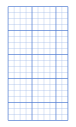 Graph paperSquare grid in any spacing, with optional bold lines and axes.
 Dot gridBullet-journal dots at any pitch and dot size.
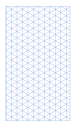 Isometric30° triangle grid for 3D sketches, as lines or dots.
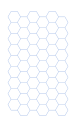 HexagonalHex grid, pointy or flat top, sized by edge length.
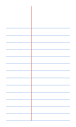 Lined paperWide, college, narrow or custom ruling with a margin line.
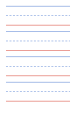 HandwritingThree-line handwriting sets with a dashed midline, descender space and optional slant guides.
 Cornell notesCue column, note-taking area and summary box, ruled, dotted or blank.
 BlankPlain page with margins, an optional border and header fields.
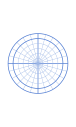 PolarConcentric rings and radial rays with degree or radian labels.
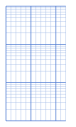 Log & semi-logLogarithmic axes from 1 to 5 cycles; set one axis linear for semi-log.
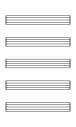 Sheet music & tabStaff, grand staff, guitar/bass/ukulele tab, and blank chord boxes.
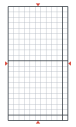 Cross-stitch gridGrid by Aida/evenweave count with bold lines every 10 stitches, at true size or enlarged.
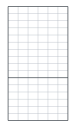 Knitter's graphRectangular cells that match your gauge, so charted motifs look right when knitted.
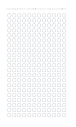 Bead pegboardTrue-size 29×29 square, large rectangle, circle and hexagon pegboards for midi or mini beads.
 EPP templatesHexagons, jewels, 60° diamonds, tumblers and half-hexagons by side length, with an optional 1/4″ seam allowance line. Digital paperBullet-journal dots at any pitch and dot size.
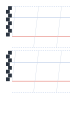 Calligraphy guidesGuide lines by nib width with a nib ladder, ascender and descender lines and slant lines for each hand.
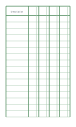 Columnar & ledgerLedger and accounting sheets with 2–12 columns, a wide description column and dollars/cents splits.
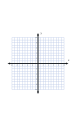 Coordinate planesNumbered x/y axes on a grid, four quadrants or first quadrant only, up to six planes per page.
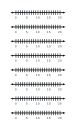 Number linesPrintable number lines with any start, end and step, minor ticks for fractions, labelled or blank.
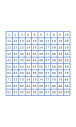 Hundreds chartNumber charts 1–100, 0–99 or 1–120 — complete, blank, or with numbers missing for practice.
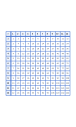 Multiplication chartTimes-table grids up to 12 × 12: a complete reference chart, a blank grid to fill, or a practice sheet with gaps.
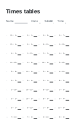 Times table worksheetsMultiplication and division fact drills from the tables you choose, in random or table order, with an answer page.
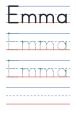 Name tracingType a name or words and get dotted manuscript letters to trace on handwriting lines, with start dots and a model row.
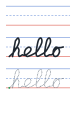 Cursive tracingType words or a sentence and get joined cursive to trace on handwriting lines: a model row, dotted rows with start dots, then a row to write alone.
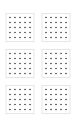 Geoboard dot paperSquare arrays of dots matching 5 × 5, 7 × 7 or 11 × 11 geoboards, four to twelve boards per page.
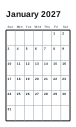 Monthly calendarMonthly calendars for any month and year, Monday or Sunday start, ISO week numbers and note lines.
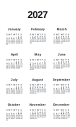 Yearly calendarAll twelve months on one page, or an academic year from August or September, with week numbers.
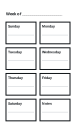 Weekly & daily plannerWeekly planners with a box for each day and daily pages with an hourly schedule, priorities and a to-do list.
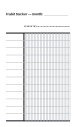 Habit trackerA month of habits on one page: up to 20 habits down the side, every day of the month across.
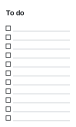 To-do listPrintable to-do lists and checklists with tick boxes, one or two columns, with an optional title and your own items.
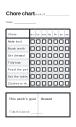 Chore chartA weekly chore chart: chores down the side, days across with tick boxes, one page per child, or a family job list with who, when and done.
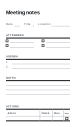 Meeting notesMeeting notes with date, time and place, attendees, a numbered agenda, a notes area and an action table with owners and due dates.
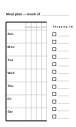 Meal plannerA week of breakfast, lunch, dinner and snacks with a shopping list down the side.
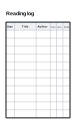 Logs & budgetsReading logs, budgets, expense trackers, sign-in and attendance sheets and inventories with ruled rows.
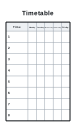 TimetableBlank class and work timetables: 5, 6 or 7 days across and up to 12 periods with time slots.
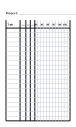 Gantt chartA blank Gantt chart: task, owner and dates columns with up to 52 weeks or 31 days across.
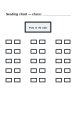 Seating chartClassroom seating charts with rows of desks, a name line in each and the front of the room marked.
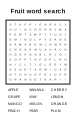 Word search makerMake a word search from your own words: grid size, three difficulty levels and an answer page.
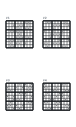 SudokuFresh 9×9 sudoku puzzles with a unique solution at three difficulties, or blank grids, with answer pages.
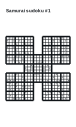 Samurai sudokuSamurai sudoku: five overlapping 9×9 grids that share their corner boxes, with a unique solution and an answer page.
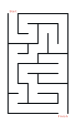 Maze generatorPrintable rectangular mazes from easy to very hard, every one solvable with a single route, plus a solution page.
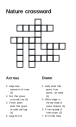 Crossword makerType answers and clues and get a printable crossword: the grid is built for you, numbered, with Across and Down clues and an answer page.
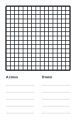 Crossword gridBlank crossword grids from 9 × 9 to 21 × 21 for writing your own puzzles, with a clue area.
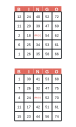 Bingo cardsRandom 75-ball bingo cards or word bingo from your own list, 1 to 4 cards per page, every card different.
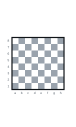 Chess & go boardsChess and checkers boards with coordinates, and 9×9, 13×13 and 19×19 go boards with star points.
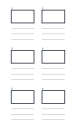 StoryboardFrames at 16:9, 4:3, 2.39:1, 1:1 or 9:16 with numbered panels and lines for action and dialogue.
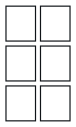 Comic book pagesBlank comic pages in six layouts — grids, tiers, splash panels and strips — with even gutters.
 Thumbnail sketchesA page of small frames for composition and value studies, logo ideas and layout roughs.
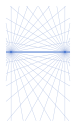 Perspective gridOne-, two- and three-point perspective guides with a horizon line and lines radiating from each vanishing point.
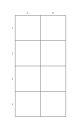 Grid drawingA square grid with A, B, C… across and 1, 2, 3… down, optional diagonals — for grid drawing, pattern enlarging and battle maps.
 Flashcards & labelsCut-apart flashcards, index cards, business-card blanks, labels and gift tags with dashed cutting guides, or flashcards printed from your own terms and answers.
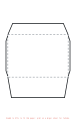 Envelope templateCut-and-fold envelope templates for A7, A2, #10, DL, C6 and C5 sizes with dashed fold lines.
 Envelope address printerPrint addresses straight onto envelopes: a return address in the corner and the recipient placed where postal machines read it, one envelope per address.
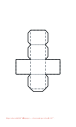 Box templatePrintable cube, square pyramid and triangular prism nets with glue tabs and fold lines, by side length.
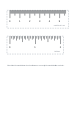 Printable rulerCentimetre and inch rulers and a 180° protractor, accurate when printed at 100% (and better after calibration).
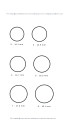 Ring sizerA cut-out ring sizing strip and circle chart in US sizes with inner diameters in mm.
Frequently asked questions
Is the generator really free?
Yes. Every paper type, size and export format is free, with no sign-up, no email and no watermark.
Why does my printed grid measure slightly wrong?
Almost always the print dialog is set to "Fit to page" or "Shrink oversized pages", which scales the sheet down by 3–6%. Choose Scale 100% or Actual size. If it is still off, run the printer calibration once and every download is corrected for that printer.
Can I make a notebook with many pages?
Open Advanced options and set Pages in the PDF (up to 200). You can add page numbers, alternate the margins for binding and, on A5, A6 and Half Letter, print as a folded booklet.
Which format should I download?
PDF for printing — it is vector, so lines stay sharp at any printer resolution, and it carries a "do not scale" hint. SVG is best for editing in Illustrator, Inkscape or Figma. PNG suits tablet note apps and slides; choose 300 dpi for print-quality images.
Is anything uploaded to your server?
No. The sheet is drawn in your browser and the files are created on your device. Settings are kept in the page address (so you can bookmark or share them) and in your browser's local storage.
How do I share or reuse a setup?
Every change updates the page address. Use Copy link to share the exact sheet, or Presets on this device to save it under a name for next time.
Can I print edge to edge?
Turn off Printer-safe margins and set margins to zero. Most home printers cannot print the last 3–6 mm of the page, so the outer lines may be clipped; the calibration test sheet shows exactly where your printer stops.
Last updated · About us