What prints with the starting settings
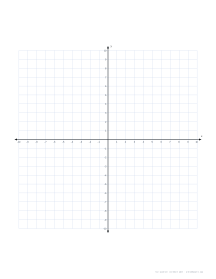
| Paper | US Letter — 215.9 × 279.4 mm (8.5 × 11 in) |
|---|---|
| Axes | −10 to 10 on both axes |
| Planes per page | 1 |
| Margins | 1/2″ |
| Line weight | 0.18 mm (bold 0.35 mm) |
| Print setting | Scale 100% / Actual size |
What coordinate plane paper is for
A coordinate plane turns pairs of numbers into positions. Students plot points such as (3, −2), join them into shapes, draw straight lines from equations like y = 2x + 1, and see how reflections, rotations and translations move a shape around the origin. Having the axes drawn and numbered in advance removes the fiddly part, so a lesson can go straight to the mathematics.
Teachers use a full-page four-quadrant plane for whole-class work and multi-plane pages for worksheets: four or six numbered grids, one per question. First-quadrant planes support early coordinate work, bar-style graphs and plotting measurements, where negative values make no sense.
Choosing quadrants, range and layout
Quadrants. Four quadrants for algebra, transformations and anything involving negative numbers; first quadrant for introductory work and real-world data.
Range. The default of 10 gives a −10 to 10 grid in four-quadrant mode. Use 5 for younger students or small multi-plane worksheets, and 15 to 20 when graphing equations whose interesting points lie further out. Larger ranges mean smaller squares, so pair them with one plane per page.
Labels. Every gridline is numbered by default. Label every 2 or 5 lines for large ranges, or switch labels off when students should decide the scale themselves.
Tips for classroom use
- Print one four-quadrant plane per student for transformation lessons; the same sheet works for the shape, its image and the description of the move.
- Use four planes per page for “plot and identify” questions, so each answer has its own grid and marking is quick.
- For graphing several lines on one set of axes, choose one plane per page and give each line a different colour.
- Keep a stack of blank first-quadrant planes for science graphs, where time or distance always starts at zero.
Activities that suit a full four-quadrant plane:
- Linear equations: plot the y-intercept, then step by rise over run; numbered gridlines make slopes like 2/5 easy to follow.
- Transformations: draw a triangle in quadrant I, then reflect, rotate or translate it into the others and compare the coordinates.
- Inequalities: graph the boundary line, then shade the solution side with coloured pencil.
- Quadrant signs: points in quadrant I have positive x and y, quadrant II negative x and positive y, quadrant III both negative, and quadrant IV positive x and negative y; asking students to predict the quadrant before plotting is a quick check of understanding.
Printing tips
Print at 100% / Actual size so squares are true. Coordinate planes print well in black and white because the axes are drawn in solid ink over a light grid. For a laminated, reusable plane, print one large plane, laminate it and use dry-wipe pens.
Popular coordinate plane sheets
Frequently asked questions
What is the difference between four-quadrant and first-quadrant planes?
A four-quadrant plane has the origin in the middle, so x and y run from negative to positive values. A first-quadrant plane starts at the bottom-left corner and only shows positive values, which is how coordinates are usually introduced in upper elementary grades and how many real-world graphs (time, distance, cost) are drawn.
How many planes can I fit on one page?
One, two, four or six. One large plane suits graphing several lines or a shape transformation; four or six small planes make a worksheet where each question has its own grid.
Can I change the axis range?
Yes. Axis range sets how many squares run from the origin to each end, from 5 to 30. Ten is the classic range for school worksheets. The squares shrink as the range grows so the plane always fits its space on the page.
Can I label only every second or fifth number?
Yes. Set Label every to 2 or 5 to number every second or fifth gridline, which keeps large ranges readable. You can also turn numbering off for practice where students write the scale themselves.
Is this the same as graph paper with axes?
It is designed for the job: the plane is a fixed size with numbered axes, arrows and the x and y labels already in place. For a full page of squares with unnumbered axes through the center, open graph paper and turn on X/Y axes through the centre; on 1/4 inch squares that gives a −15 to 15 by −20 to 20 plane on Letter.
Will the squares be exactly square when printed?
Yes, as long as you print at 100% (Actual size). The PDF is drawn at exact physical size, so every square is the same width and height. If your printer scales slightly, run the calibration once.
Last updated · About us