Variations
What prints with the starting settings
| Paper | US Letter — 215.9 × 279.4 mm (8.5 × 11 in) |
|---|---|
| Columns | Category, Budget, Actual, Difference, Notes |
| Rows on this page | 28 |
| Margins | 1/2″ |
| Line weight | 0.18 mm (bold 0.35 mm) |
| Print setting | Scale 100% / Actual size |
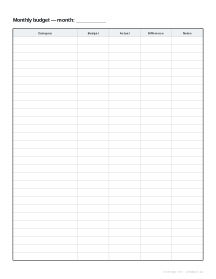
A budget on one page
A paper budget has one big advantage over an app: you see the whole month at once and you have to write every number yourself, which makes you notice it. This sheet keeps things simple: one row per category, planned and actual amounts side by side, and a difference column that shows exactly where the money went differently than planned.
A monthly routine
- Plan: on the first of the month, write your income and each category with its budget.
- Track: keep receipts or use the expense tracker to log purchases as they happen.
- Review: at month end, total each category into the Actual column and work out the difference.
- Adjust: use the notes column to record why a category went over and what to change next month.
Tips
- Round to whole dollars, pounds or euros; precision matters less than consistency.
- Give irregular costs (car repairs, birthdays, annual subscriptions) their own category and set aside a monthly amount.
- Keep twelve sheets in a binder to see the year’s pattern.
Printing
Print at 100% / Actual size on Letter or A4. Choose taller rows if you prefer more writing space; 28 rows are usually more than enough categories for a household.
More logs & budgets sheets
Frequently asked questions
What columns does the budget sheet have?
Category, Budget, Actual, Difference and Notes, with a line at the top to write the month. There are 28 rows on Letter and 31 on A4.
How do I fill it in?
At the start of the month, list each spending category and the amount you plan to spend. At the end, fill in what you actually spent, then subtract to get the difference: positive means you spent less than planned.
Which categories should I use?
Start with fixed costs (rent or mortgage, utilities, insurance, phone, transport), then variable ones (groceries, eating out, clothes, gifts, fun) and savings. Keep income on the first row so you can see the total at a glance.
Is my data stored anywhere?
No. The sheet is generated in your browser and printed blank; what you write stays on paper.
Last updated · About us