Start with how you plan
Before choosing pages, think about what your days look like. Lots of fixed appointments call for a time-based layout. Lots of tasks with flexible timing call for lists. Big goals and habits call for trackers. Most people end up with a mix: a monthly overview, a weekly page and one or two trackers.
Here is what the main layouts look like, printed from our generators:
- Monthly calendarone month, Sunday start
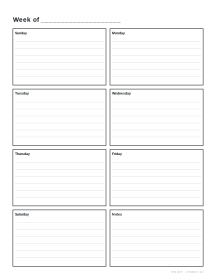
- Weekly plannerseven days with lines
- Daily plannerschedule, tasks and notes
- Habit trackerone row per habit
Monthly calendars
A grid of the month, one box per day. Good for deadlines, birthdays, bills and an at-a-glance view of a busy month. Too small for daily detail, so most planners pair it with weekly pages. The calendar generator prints any month of any year, with the week starting on Sunday or Monday and optional week numbers; the yearly calendar puts twelve months on one page for long-range planning.
Weekly layouts
The workhorse of most planners.
| Layout | How it looks | Best for |
|---|---|---|
| Vertical | seven columns, time down the side | appointments, shift work, time blocking |
| Horizontal | seven rows across the page | to-do lists, notes, journaling |
| Week + notes | days on one side, notes or tasks on the other | mixing tasks with notes |
The weekly planner can be dated from any start date or left undated.
Daily pages
A whole page per day, usually with a schedule, a task list and notes. Daily pages give the most space and the most detail; they suit busy workdays, students in exam season and anyone who journals. Because a year is 365 pages, print a week or a month at a time.
Trackers and lists
- Habit trackers: one row per habit, one column per day of the month. Fill a square each day you do it. Seeing a chain grow is surprisingly motivating. Try the habit tracker.
- To-do lists and checklists: simple tick boxes, for projects, packing or shopping. See to-do lists.
- Meal planners: a week of meals with a shopping list, in the meal planner.
- Logs: reading logs, budget sheets and sign-in sheets in log sheets.
Putting a planner together
- Choose your size. Letter or A4 for a desk binder, Half Letter or A5 for a portable planner.
- Print a year or monthly calendar for the front.
- Add weekly pages for the months ahead, dated or undated.
- Add one or two trackers at the back.
- Bind it: a disc binder or ring binder lets you add and remove pages; see binding a notebook.
Making it stick
The best planner is the one you open every day. Keep it where you work, review it at the same time each day, and simplify ruthlessly: if a page goes unused for two weeks, drop it from the next print run. Printable planners make that easy, because next month’s pages can be different from this month’s.