Variations
What prints with the starting settings
| Paper | US Letter — 279.4 × 215.9 mm (11 × 8.5 in), landscape |
|---|---|
| Days | 7 |
| Periods | 10 |
| Margins | 1/2″ |
| Line weight | 0.18 mm (bold 0.35 mm) |
| Print setting | Scale 100% / Actual size |
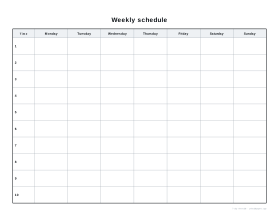
A week that repeats
Most weeks follow a pattern: work or school hours, practices on certain evenings, a weekly shop, a regular call with family. Writing that pattern down once, on a single page, shows where the free time actually is and where the week is overloaded. It also helps everyone in a household know who is where.
Ideas for using it
- Family routines: activities, lifts and chores for each person in a different colour.
- Shift work: a rota for a small team, one row per shift.
- Study plans: fixed revision sessions spread across the week.
- Fitness: training sessions and rest days.
- Children’s routines: a picture schedule with stickers for each activity.
Tips
Write fixed commitments first, then add the flexible things around them, and leave at least one empty block each day. Laminate a copy and use dry-wipe pens if the pattern changes term by term. For day-by-day detail, use the daily planner.
Printing
Print landscape at 100% / Actual size on Letter or A4.
Frequently asked questions
What is the difference from the school timetable?
This version covers all seven days and has ten slots, so it suits routines that include weekends: family schedules, shift work, sports and lessons.
Can I write my own times?
Yes. The slots are numbered 1 to 10 with a Time column beside them; write the start time in each row, hourly from 8 am, every half hour, or periods of different lengths.
Does the title change?
Yes. In the generator you can replace "Weekly schedule" with any title up to 40 characters, such as a name or "Swim team".
How is it different from a weekly planner?
A schedule shows a regular pattern that repeats every week. A weekly planner is for the plans of one particular week.
Last updated · About us