What a storyboard is for
A storyboard turns a script into pictures before anyone picks up a camera. Each panel shows one shot: what is in the frame, how big it is and where the camera is. Underneath, notes describe the action, dialogue and sound. With a storyboard you can spot gaps in the story, plan the shot list, estimate the time needed and explain your idea to a team, a client or a teacher.
Choose the frame ratio
The panels should have the same shape as the finished video, so you compose for the real frame.
| Ratio | Used for | Notes |
|---|---|---|
| 16:9 | YouTube, TV, most online video | The safe default |
| 9:16 | TikTok, Reels, Shorts | Vertical; keep subjects centred |
| 2.39:1 | Cinema widescreen | Wide landscapes, two-shots |
| 4:3 | Classic TV, some animation | Squarer, more headroom |
| 1:1 | Square social posts | Simple, centred compositions |
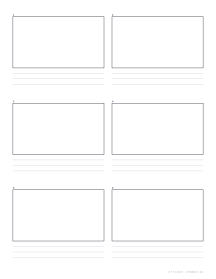
The storyboard template prints frames in any of these ratios, with lines for notes under each one. Because the frame shape changes, so does the best layout. We measured the frames the template draws on a Letter page with three note lines each:
| Aspect ratio | Default 2 × 3 layout | Page used | Best layout with 6+ frames | Frame size | Page used |
|---|---|---|---|---|---|
| 16:9 | 91 × 51 mm | 47% | 2 across × 3 down (6 frames) | 91 × 51 mm | 47% |
| 4:3 | 79 × 59 mm | 46% | 2 across × 3 down (6 frames) | 79 × 59 mm | 46% |
| 2.39:1 | 91 × 38 mm | 35% | 2 across × 4 down (8 frames) | 90 × 38 mm | 45% |
| 1:1 | 59 × 59 mm | 35% | 2 across × 3 down (6 frames) | 59 × 59 mm | 35% |
| 9:16 | 33 × 59 mm | 20% | 3 across × 2 down (6 frames) | 58 × 103 mm | 59% |
The default two-across layout suits 16:9 and 4:3. Vertical video wastes most of the page in it, so switch to three across and two down; widescreen 2.39:1 frames are shallow, so four rows fit.
- 16:9, 2 × 3six frames for YouTube or TV
- 9:16, 3 × 2six tall frames for vertical video
Shot sizes and angles
Use a shorthand in the notes so everyone reads the shot the same way:
- EWSExtreme wide shot: the whole location; often the establishing shot
- WSWide shot: the whole person and their surroundings
- MSMedium shot: waist up, for conversation
- CUClose-up: the face fills the frame, for emotion
- ECUExtreme close-up: one detail: the eyes
- ECU / extreme close-up: an eye, a hand on a door handle.
- CU / close-up: a face filling the frame, for emotion.
- MS / medium shot: from the waist up, for conversation.
- WS / wide shot: the whole person and their surroundings.
- EWS / extreme wide shot: the whole location, often used as the establishing shot at the start of a scene.
Note the angle too: eye level, high angle (looking down, makes a subject seem small) or low angle (looking up, makes them powerful), and an over-the-shoulder shot for conversations.
Camera moves and arrows
Draw arrows inside the frame for movement of people or objects, and outside it for camera moves. Common moves are pan (the camera turns left or right), tilt (up or down), zoom (the lens magnifies), dolly or track (the camera itself moves) and handheld. For a long move, draw two frames, the start and end, with an arrow between them.
Filling in a sheet
- Break the script into shots and number them.
- Sketch each shot quickly in its frame: shapes and positions first, details only if they matter.
- Under each frame, write the shot number, size and angle, action, dialogue and sound, and a duration estimate.
- Read the boards in order. Check that cuts make sense, that the viewer always knows where they are, and that you are not repeating the same shot size again and again.
- Revise. It is far cheaper to redraw a frame than to reshoot a scene.
Storyboards, comics and thumbnails
Storyboards share a lot with comic pages, but a comic is the finished product and a storyboard is a plan, so storyboard frames are all the same size and in strict order. For very early ideas, use thumbnail sheets to try many compositions quickly before committing to a board.
Tips
- Keep each frame simple: one main idea per shot.
- Use the rule of thirds: place subjects on the lines a third of the way into the frame.
- Keep screen direction: if a character exits frame left, they should enter the next shot from the right. In a conversation, keep the camera on one side of the line between the two people, the 180-degree rule, so they keep facing each other across cuts.
- Time it: read the dialogue aloud against each frame and write the seconds down. Modern films have averaged under 4 seconds per shot since 2000, down from about 10 seconds in the 1930s and 1940s, but there is no rule; hold a shot as long as it has something to show.
- Print several pages at once and spread them on a table to see the whole sequence.