Variations
What prints with the starting settings
| Paper | US Letter — 215.9 × 279.4 mm (8.5 × 11 in) |
|---|---|
| Panels | 7 |
| Gutter | 0.197″ |
| Margins | 1/2″ |
| Line weight | 0.18 mm (bold 0.35 mm) |
| Print setting | Scale 100% / Actual size |
Pace with panel sizes
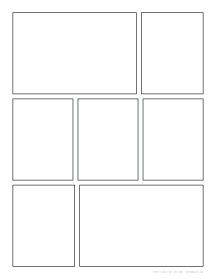
Panel size controls time on the page. Wide panels slow the reader down and set the scene; narrow ones speed things up; a row of three equal panels feels like a beat-by-beat sequence. This layout mixes all three, so a single page can establish a place, show a quick exchange and land on a big moment.
Drawing the page
- Thumbnail first: sketch tiny versions on a thumbnail sheet to plan the flow.
- Pencil: rough the figures and speech balloons in each panel, leaving room for lettering.
- Break the border: let an action or character overlap a panel edge for impact.
- Ink: go over the final lines and erase the pencils.
Reading order
Whichever direction you read, keep the order clear: put the first speech balloon of each panel near the side where the reader enters, and avoid placing panels so that two paths look equally likely. Number the panels lightly in pencil while planning.
For newspaper-style strips, see the comic strip template; all layouts are on the comic book template page.
Printing
Print at 100% / Actual size on Letter or A4. Bright white, heavier paper takes ink and markers better.
More comic book pages sheets
Frequently asked questions
How are the panels arranged?
Seven panels in three tiers: a wide and a narrow panel on top, three equal panels in the middle, and a narrow and a wide panel at the bottom.
Do I read it right to left?
Traditional Japanese manga is read right to left, so start at the top right. If you are drawing for left-to-right readers, start at the top left. The template works either way.
Can I change the gutters?
Yes, from 2 to 12 mm. Narrow gutters suit action-packed pages; wider ones give a calmer feel.
What paper size do manga artists use?
Professional manga is often drawn on B4 boards and printed smaller. For practice, Letter and A4 are fine; the generator also offers B-series sizes.
Last updated · About us