Variations
What prints with the starting settings
| Paper | US Letter — 215.9 × 279.4 mm (8.5 × 11 in) |
|---|---|
| Pegs | 11 × 11 per board |
| Boards per page | 4 |
| Margins | 1/2″ |
| Line weight | 0.18 mm (bold 0.35 mm) |
| Print setting | Scale 100% / Actual size |
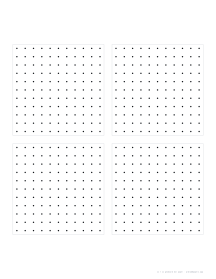
A bigger board for bigger ideas
The 5 × 5 geoboard is great for first shapes, but its 16 small squares limit what can be built. An 11 × 11 board has a 10 × 10 grid inside, so a full board is 100 squares, perfect for percentages and fractions of 100, area problems with large shapes, and plotting points.
Activities
- Area by counting: make a shape, record it, and count whole and half squares.
- Same area, different shape: find as many shapes with an area of 12 as possible.
- Percentages: shade 25%, 40% or 3/5 of the board.
- Symmetry: draw half a shape and reflect it across the middle line.
- Pick’s theorem: older students can check area = interior dots + boundary dots ÷ 2 − 1.
Recording neatly
Use a ruler between dots and label each shape with its area and perimeter underneath. For the classroom favourite, choose the 5 × 5 variation; for coordinates with numbered axes, use the first-quadrant grid.
Printing
Print at 100% / Actual size on Letter or A4.
Frequently asked questions
What is an 11 × 11 geoboard?
A board with 121 pegs in 11 rows of 11, giving a 10 × 10 grid of unit squares. It is used for bigger shapes, fractions of 100 and coordinate work.
How many boards fit on a page?
Four, six, nine or twelve. Four per page keeps the dots far enough apart to draw accurately.
How do students use the sheets?
They make a shape with bands on the real geoboard, then copy it onto the dot paper by joining dots with a pencil and ruler, and label its area or perimeter.
Can it be used without a geoboard?
Yes. The dot paper works on its own for drawing polygons, finding areas by counting squares and exploring symmetry.
Last updated · About us