Variations
What prints with the starting settings
| Paper | US Letter — 215.9 × 279.4 mm (8.5 × 11 in) |
|---|---|
| Margins | 1/2″ |
| Line weight | 0.18 mm (bold 0.35 mm) |
| Print setting | Scale 100% / Actual size |
A frame for the work inside
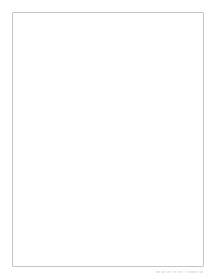
A border does a surprising amount for a blank page. It tells a young artist where the picture should stop, makes a handwritten report look deliberate, and turns a printout into something that can go on a wall. This page draws one thin, crisp line around the printable area, inset by the page margins: a half inch on Letter, Legal and Tabloid, 10 mm on A4. Nothing else is printed, so the space inside is entirely yours.
The frame is a vector rectangle, so its corners are exactly square and its sides exactly parallel to the paper edges, which matters when the page is going to be trimmed, mounted or framed.
Uses for each style
- Thin (default): drawing practice, story pages, picture boxes paired with kindergarten writing paper, and neat handwritten letters.
- Thick: classroom posters, signs and display boards, where the edge needs to read from a distance.
- Double: certificates, title pages, menus and anything that should look a little formal.
- Crop marks only: when you want a borderless print you can trim. Print, cut along the corner marks, and the margins disappear.
The Name & date variation adds labelled header lines above the frame, a simple way to turn the page into an art assignment sheet.
Matching the border to the job
For student work, keep the default half-inch inset and the thin line; it photocopies cleanly and leaves room for a teacher’s comments outside the frame. For something going on a wall, widen the margins in Advanced options to an inch or more so the frame sits inside a mat or picture frame window. And for documents that will be scanned, a thin or double line scans more reliably than a thick one.
Printing tips
Print at Actual size so the margins come out even on all four sides; Fit to page can shift the frame off-centre. For artwork, a heavier paper or card of 160 g/m² (about 60 lb cover) and above takes markers and paint without curling, as long as your printer’s paper path accepts it. To make a coloured background, set a paper colour in Advanced options; pale tints save ink and keep the border line easy to see. Need a whole set of story pages? Set Pages in the PDF to the number of pages and staple them into a book.
More blank sheets
Frequently asked questions
How far from the edge is the border?
It follows the page margins, so it sits 1/2 inch in from each edge on Letter and 10 mm in on A4. You can change all four margins in Advanced options to move the frame closer to or further from the edge.
Why not put the border right at the edge of the paper?
Most home printers cannot print the outer 3–6 mm of a sheet, so a line at the edge would be cut off or uneven. Keeping Printer-safe margins on guarantees the full border prints. For a true edge-to-edge frame, print on larger paper and trim along the crop marks.
What is the double border for?
Two parallel thin lines give a more finished, formal look. It is a common choice for certificates, award pages, menus and the title page of a school report.
Can I change the border colour?
Yes. Open Advanced options and pick a line colour. A coloured frame on a tinted paper colour works well for party invitations and classroom displays.
Can I print a bordered page on 11 x 17 paper?
Yes, choose Tabloid above. The border stays a half inch from the edge, which gives a large poster frame of 10 × 16 inches. A3 works the same way with 10 mm margins.
Last updated · About us